App
1. Overview
Every night, the day's moments arrive as a one-page journal. You never have to write. Just wear it and talk. The app transcribes what the Mori device captured, organizes it, and writes it into a journal.
Record → Sync → Transcribe → Organize → Journal
2. Features
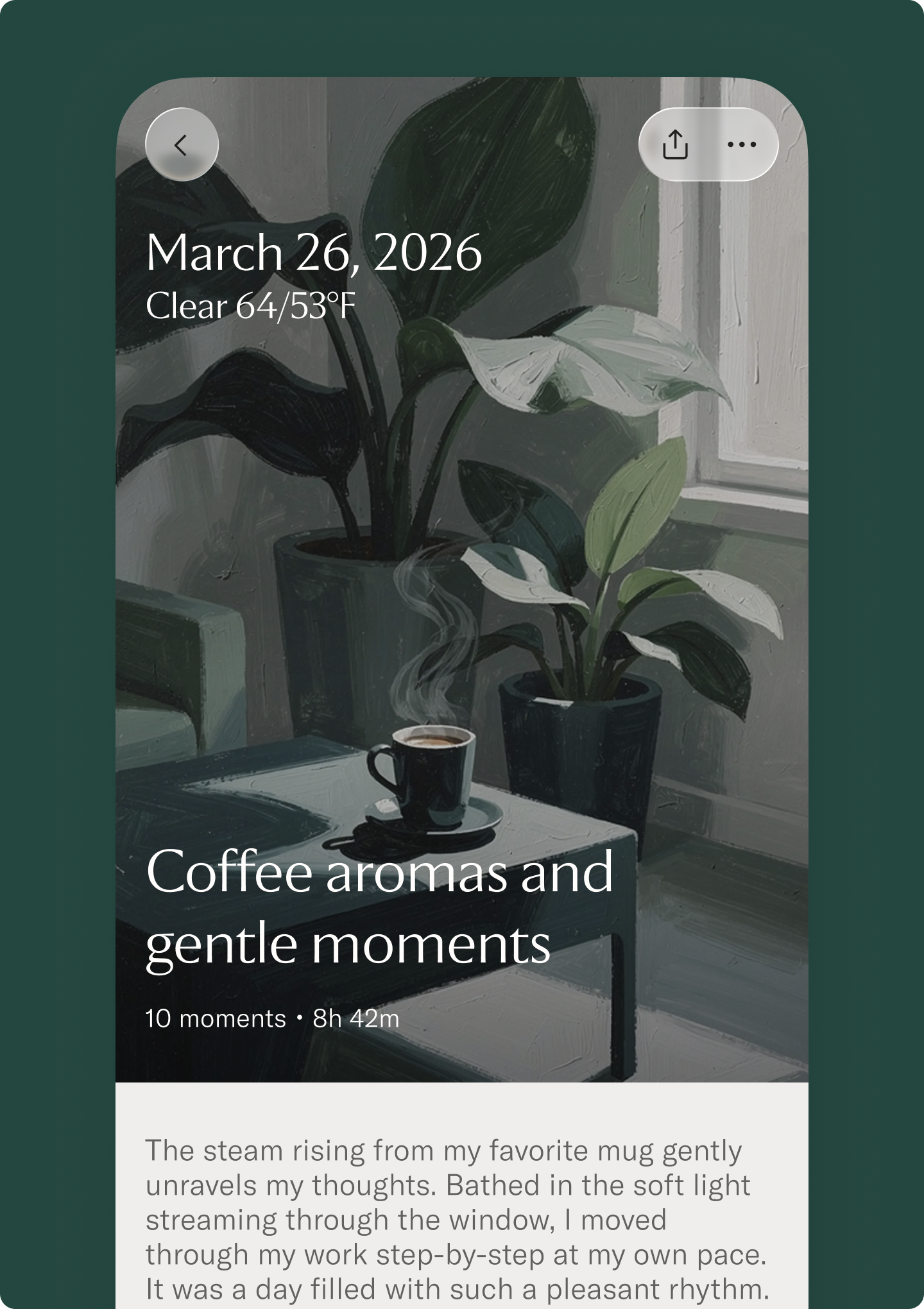
Journal
At the end of the day, what happened and what stood out come together on a single page. A title that works as a key for remembering the day, a summary to reread, and a visual born from the day's scenery. Scroll back through the dates anytime.
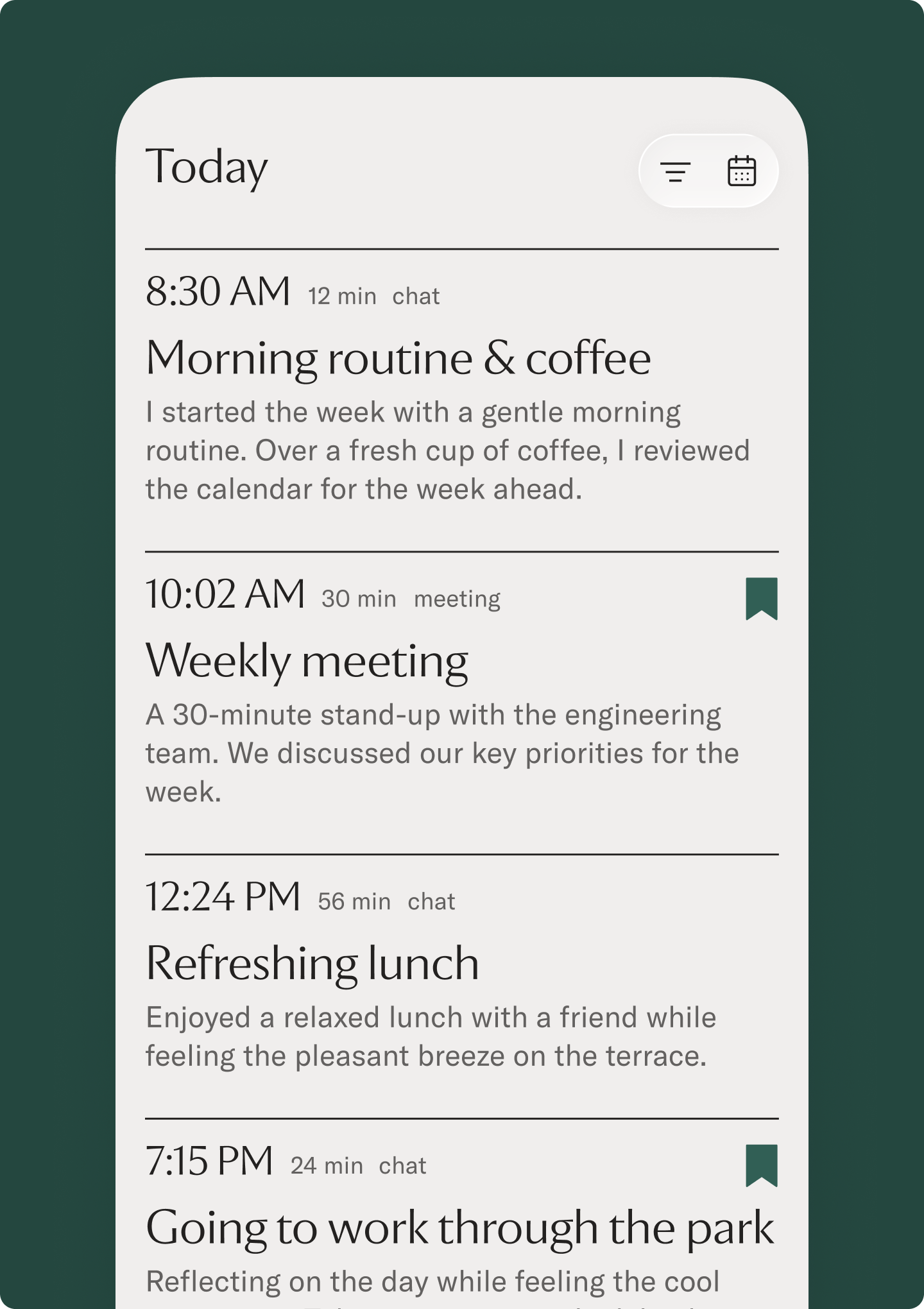
Timeline and summaries
Conversations line up in order, with transcripts you can revisit. Each session gets a title and a short summary, so even a long day takes minutes to look back on.
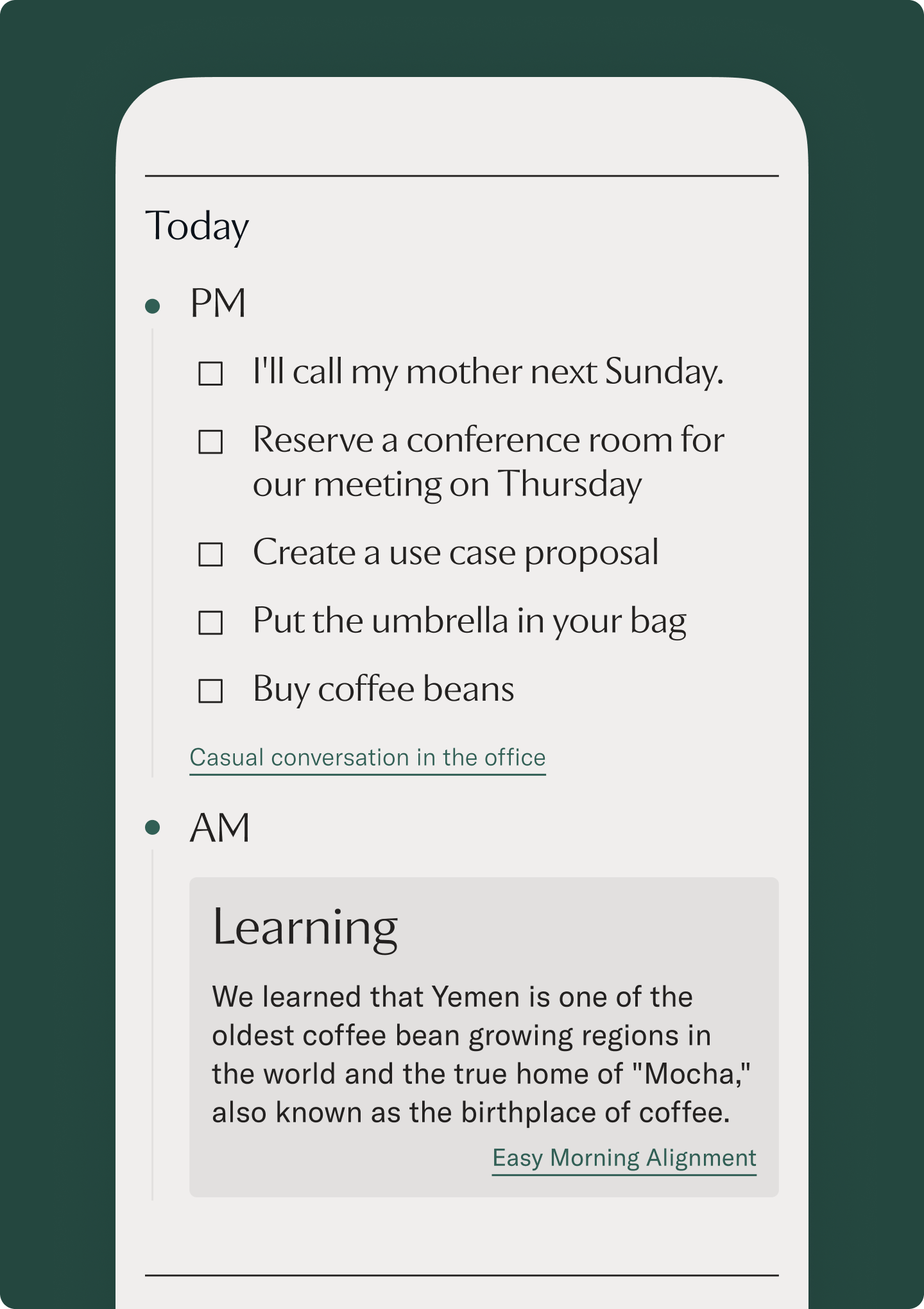
Insights and to-dos
Ideas that came up in conversation, small realizations, things you said you would do. Mori picks them out of the day's talk. No need to stop a conversation to take notes.
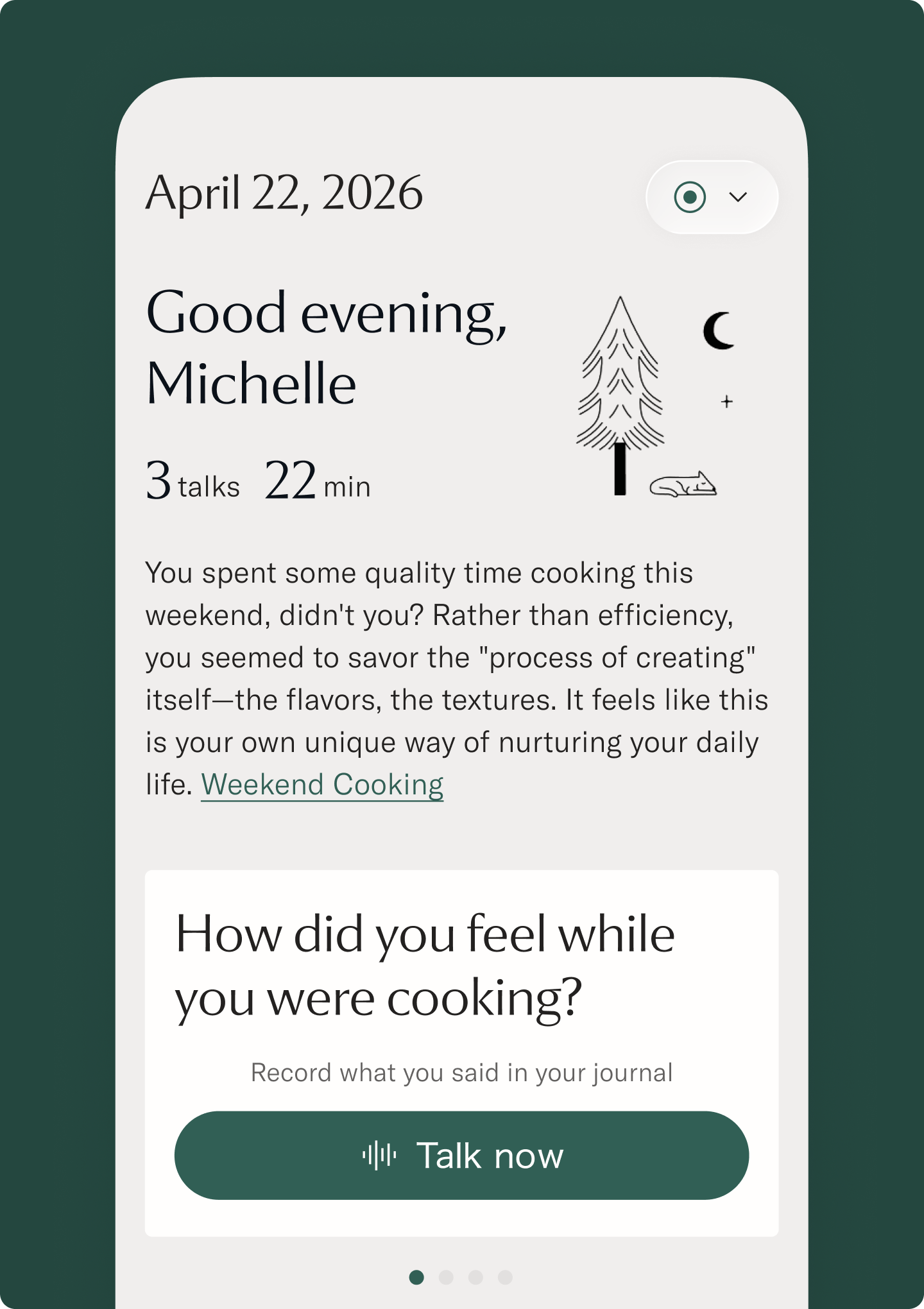
Question
Mori offers a small question tied to the day's record. "When this week did time seem to pass most quietly?" Answer by text or voice to look back on the day in your own words. The smallest journaling habit, for people whose written diaries never lasted.
Detailed feature table
The table below lists features currently available to users.
| Area | Screen | Feature | What users can do |
|---|---|---|---|
| Home | Home | Today's record status | Check how far today's record has progressed |
| Home | Home | Latest cards | Open recent conversations, insights, and to-dos from one place |
| Journal | Journal | One page per day | Look back on the day's events and memorable moments in one page |
| Journal | Journal | Title and summary | Read a title and summary that work as keys to remembering the day |
| Journal | Journal | Daily visual | Open the memory through an image born from the day's scenery |
| Journal | Journal | Date navigation | Move back to earlier days and reread days with records |
| Timeline | Timeline | Chronological view | Follow the day's conversations in order |
| Timeline | Timeline | Session list | See each conversation with its title and short summary |
| Conversation detail | Session detail | Transcript | Reread a conversation close to the original wording |
| Conversation detail | Session detail | Structured summary | Read the key points, flow, and decisions from a conversation in an organized form |
| Insights | Insight | Realizations | Find discoveries and changes in thinking that appeared in conversation |
| Insights | Insight | Ideas | Find ideas and seeds that appeared in conversation |
| To-do | Action / TODO | Actions | Review things the user said they would do after the conversation |
| Question | Question | Record-based question | Receive a small question born from the day's record |
| Question | Question | Answer | Add an answer back into the record by text or voice |
| Data management | Data controls | Delete | Delete records the user does not want to keep |
| Sharing | Share | URL sharing | Share selected records by link and stop public access when needed |
| Conversation | Chat | Ask the day | Ask questions about past conversations and journals |
| Integration | Mori MCP | Connect from Claude or ChatGPT | Read the user's records from an AI assistant |
| Settings | Languages | Supported languages | Transcription supports 59 languages and locales; summary output supports 112. Set one primary language and up to three additional languages. |
3. Connect with Mori MCP
Connect Mori MCP to read your Mori records from Claude or ChatGPT. The connection is read-only.
Mori MCP is available on every plan.
Click the connection URL to copy it.
Mori opens a sign-in page during setup. Sign in with your Mori account and approve the connection. You do not need to enter an OAuth Client ID or Client Secret.
Open the complete Mori MCP documentation for tools, authentication, usage limits, and troubleshooting.
Claude
- Open Connectors under Customize in Claude.
- Select Add, then Add custom connector.
- Enter Mori for the name and https://mcp.mori.to for the Remote MCP server URL.
- Leave OAuth Client ID and OAuth Client Secret blank, then select Add.
- Sign in to Mori on the page that opens and approve the connection.
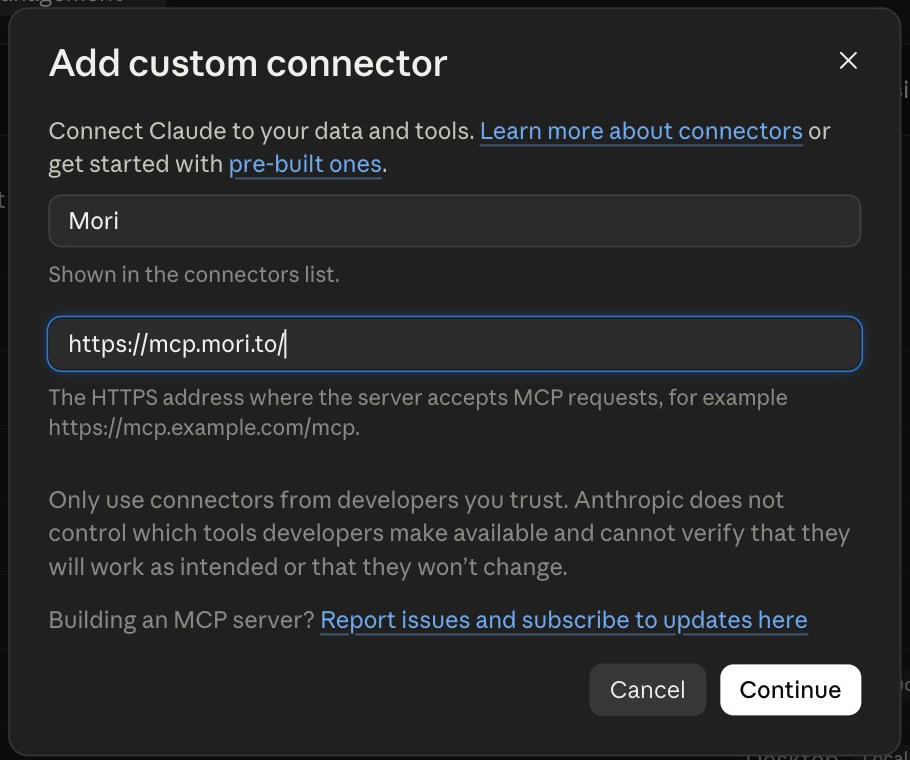
Claude Help Center: Get started with custom connectors using remote MCP
ChatGPT
Before you begin: On ChatGPT web, enable Developer mode under Settings → Security and login.
- In ChatGPT web, open Settings → Security and login, then enable Developer mode.
- Open Settings → Plugins, then select + in the upper-right corner.
- In New Plugin, enter Mori under Name. Under Connection, select Server URL and enter https://mcp.mori.to. For the optional icon, download and upload the Mori MCP icon (PNG, 256 × 256, under 10 KB).
- Select OAuth under Authentication.
- Check I understand and want to continue, then select Create.
- Sign in to Mori on the page that opens and approve the connection.

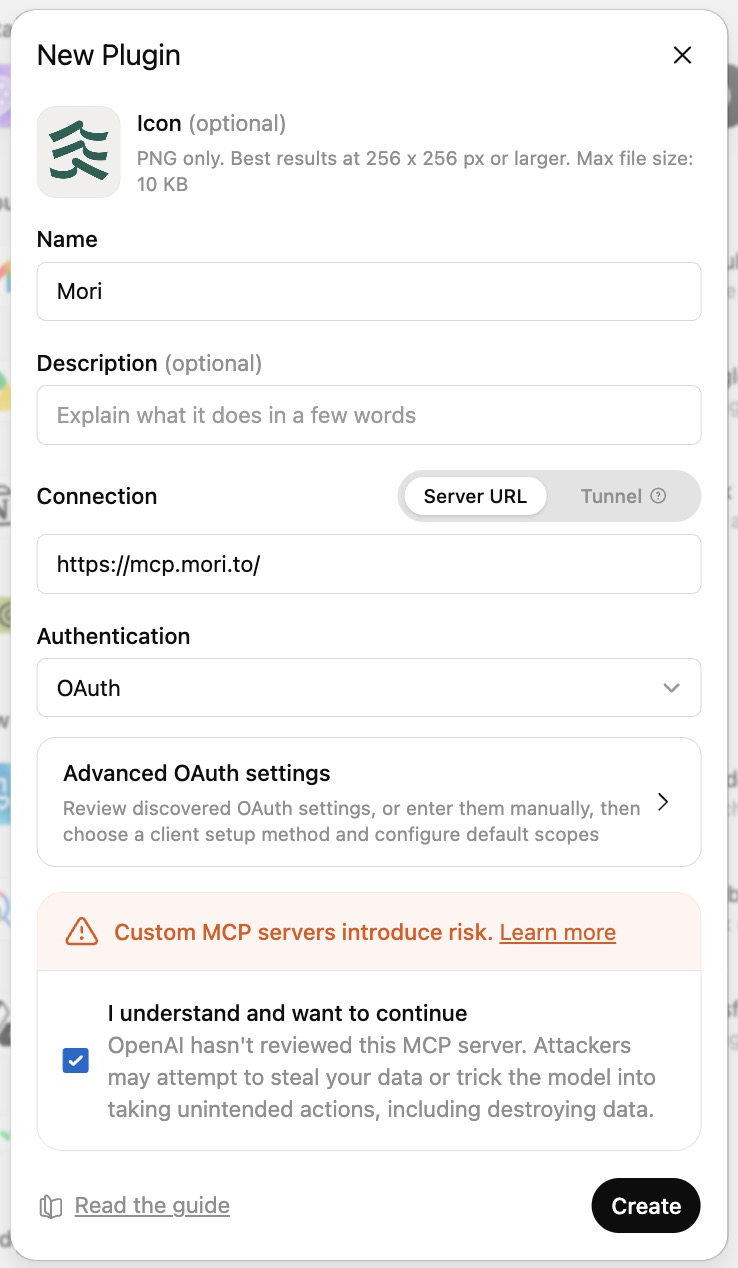
If you cannot connect
- Confirm that the URL is
https://mcp.mori.to. - Confirm that OAuth Client ID and Client Secret are blank.
- Confirm that you can sign in to your Mori account.
Labels in Claude and ChatGPT may change as the products are updated.
4. How your data flows
The path from recorded audio to journal.
- Record: when a conversation begins, the device detects speech and records. No buttons. Audio on the device is stored encrypted
- Sync: audio moves to the app over Bluetooth and travels to the cloud over an encrypted connection
- Transcribe: AI turns the audio into text. Speaker-separated transcription and display are not currently available and are planned for a future release
- Organize: conversations are arranged into sessions, with summaries, insights, and to-dos drawn out
- Journal: the day comes together and arrives in the app at night
- Delete: completed audio is promptly removed from the normal processing area. Audio awaiting transcription may be retained for up to seven days
5. Privacy
Mori is a device that records. That is exactly why we designed for data first.
- Audio is used for transcription only, then deleted
- Mori enters into data processing agreements (DPAs) with external providers that process user data and prohibits AI training or use for other purposes
- Your data is yours. You can delete records or make a data portability request
- Recorded audio on the Mori device and data stored in the cloud are encrypted using industry-standard AES-256
- When you would rather not record, mute with one button
- SOC 2 Type 1 audit report obtained (Type 2 in progress)
For details, see the privacy policy: mori.to/privacy
Our security posture and list of service providers are public at the Trust Center (trust.mori.to).
6. Plans
The only difference between plans is monthly transcription hours. Every feature is available on every plan.
| Free | Standard | Unlimited | |
|---|---|---|---|
| Transcription hours | 20h / month | 100h / month | Unlimited |
| Monthly | $0 | $13/mo | $25/mo |
| Yearly | None | $130/yr | $250/yr |
Yearly billing gives you two months free.
7. Roadmap
These features are not yet available and are what we are building next, in two stages: Next and Later.
- Next (in development)
- Android support (rolling out)
- Google Calendar integration
- Social image export and sharing
- API and CLI
- Later (exploring)
- Personal agent
- Integration with AI messaging chat
8. Download
- Download: mori.to/app
- Supported OS: iOS 18.0 or later (Android support is rolling out)