
Mori MCP
Search and revisit your Mori conversations, transcripts, and journals from a compatible AI assistant.
1. Connect to Mori
Mori MCP is a read-only connection. It cannot add, edit, or delete your Mori records.
It is available on every Mori plan.
Select the connection URL to copy it.
During setup, Mori opens a sign-in page. Sign in with your Mori account and approve read access. You do not need to enter an OAuth Client ID or Client Secret.
2. Records and permissions
Mori MCP can read Sessions, Transcripts, and Journals that belong to the signed-in Mori user. It cannot access another user or organization.
| Tool | What it does |
|---|---|
search | Searches across Sessions, Journals, and Transcripts |
fetch | Retrieves one specified Session, Journal, or Transcript |
list_sessions | Lists Sessions |
list_journals | Lists Journals |
A Transcript is returned as individual utterances. Each utterance includes the speaker, start and end times, and text.
3. Connect Claude
Claude
- Open Connectors under Customize in Claude.
- Select Add, then Add custom connector.
- Enter Mori for the name and https://mcp.mori.to for the Remote MCP server URL.
- Leave OAuth Client ID and OAuth Client Secret blank, then select Add.
- Sign in to Mori on the page that opens and approve the connection.
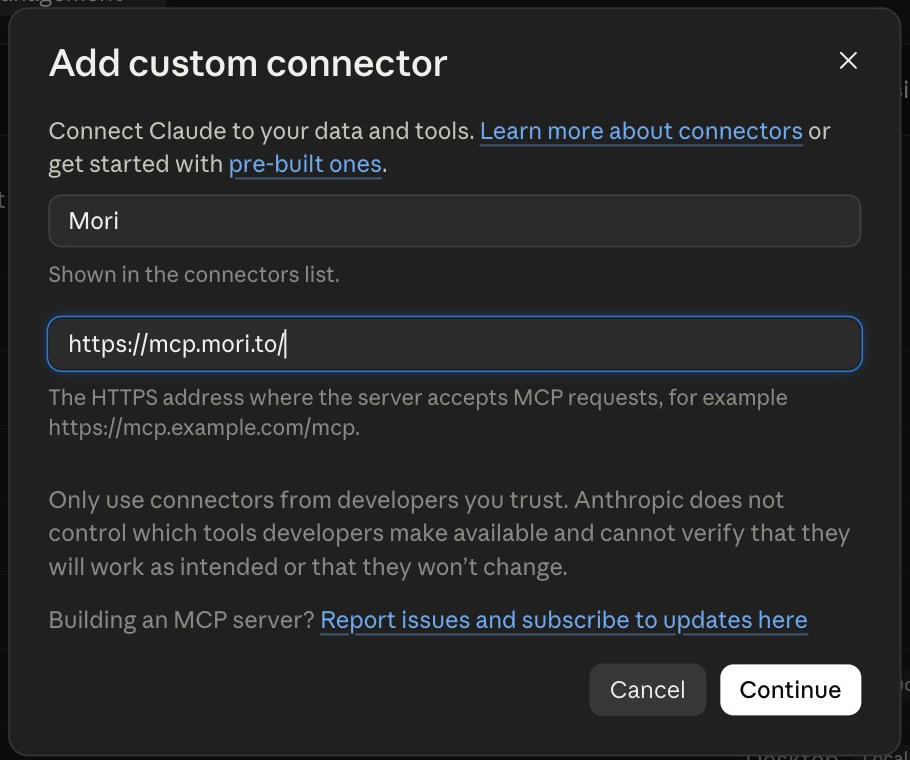
Claude Help Center: Get started with custom connectors using remote MCP
4. Connect ChatGPT
ChatGPT
Before you begin: On ChatGPT web, enable Developer mode under Settings, Security and login.
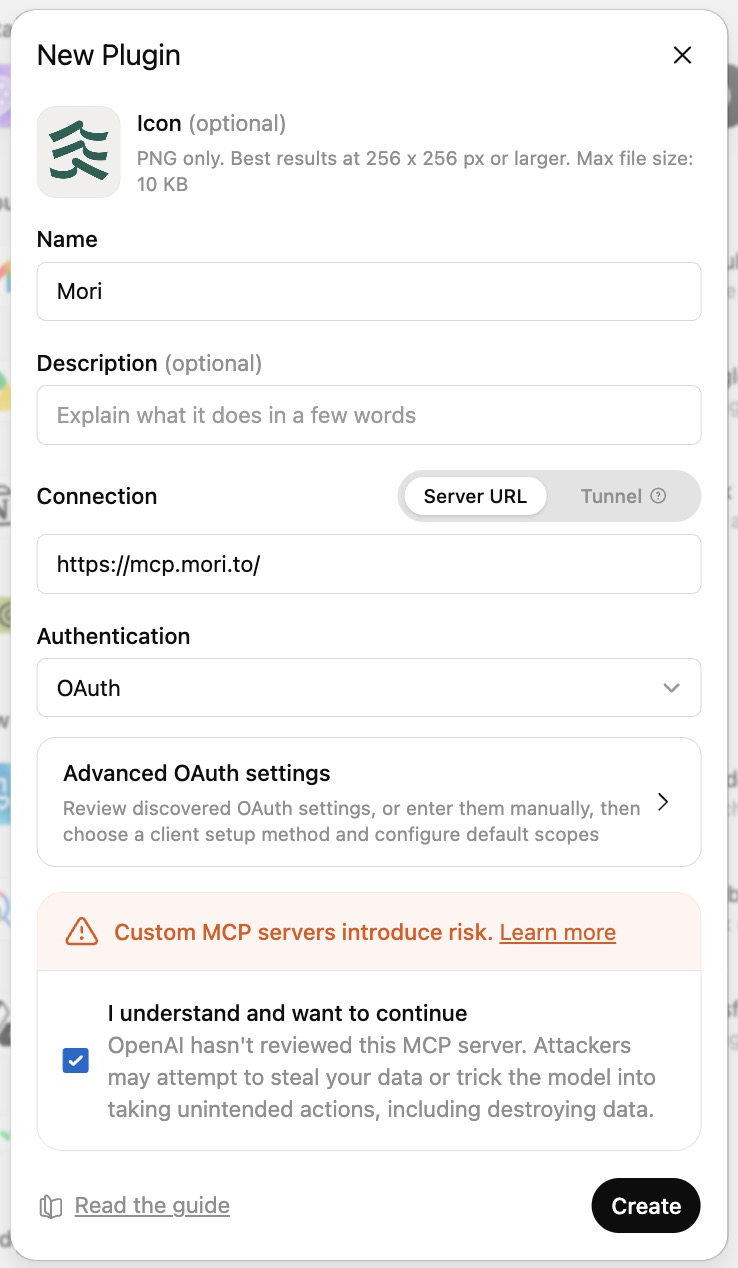
- Open Settings, then Plugins, and select + in the upper-right corner.
- Enter Mori under Name.
- Under Connection, select Server URL and enter https://mcp.mori.to.
- Select OAuth under Authentication.
- Review the notice, create the plugin, then sign in to Mori and approve the connection.
5. Try a prompt
- “List my journals from last week in date order.”
- “Find the decisions and next actions in my latest conversations.”
- “Search for records where I talked about travel and summarize the related conversations.”
Tell the assistant to use Mori MCP and include a date range when one is relevant.
6. Authentication
The first connection asks you to sign in to Mori and grant access in a browser. An MCP client that supports refresh tokens can then renew authentication without opening the browser again.
- An access token is valid for one hour.
- A refresh token is valid for 30 days.
- Each successful refresh issues a new refresh token that is valid for 30 days.
Sign in again if authentication has not been refreshed for more than 30 days, or if the refresh token becomes invalid.
7. Usage limits
Sending many requests in a short period triggers temporary rate limiting. Current limits apply per user.
| Operation | Limit per minute |
|---|---|
search | 30 |
fetch | 30 |
Transcript fetch | 10 |
list_sessions | 60 |
list_journals | 60 |
8. Troubleshooting
- Confirm that the URL is
https://mcp.mori.to. - Confirm that OAuth Client ID and Client Secret are blank.
- Confirm that you can sign in to your Mori account.
- Remove the connection, then add it again.
Labels in Claude and ChatGPT may change as the products are updated.
Still need help?
Email support@mori.to with the AI client you use, the error shown, and the approximate time it occurred.
9. Privacy and security
Mori MCP only reads records owned by the person who signed in and approved the connection. It does not provide write tools. Also review the data settings and terms of the AI client you connect.